Tags
What is "Tag"?
"Tag" is a label for convenient and fast search of the desired information.
In our system tags help you find desired places, employees, tasks or vehicles. You can create custom tags according to your needs. One object may have several tags.
To find objects with the same tag you simply need to type it in a search box and the system will show you all the search results.
How to add tags?
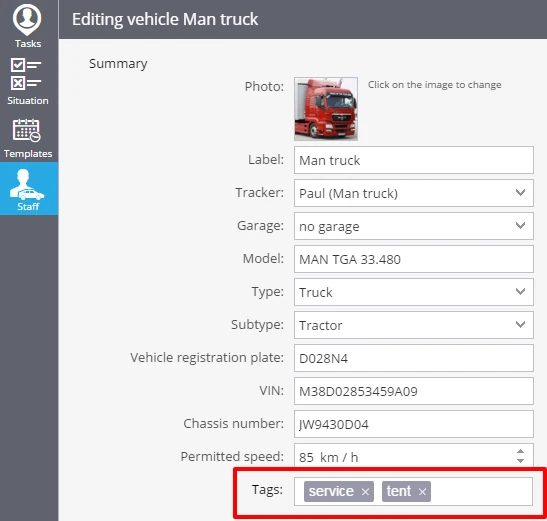
You may add tags to your vehicles in the "Fleet" app. It will help you quickly and easily find a needed vehicle profile.
To add a tag you should open a vehicle profile (more information in the "Fleet" section) and add your keywords separated by commas in the field "Tags". Each vehicle can have several tags.