Fleet
Vehicle List
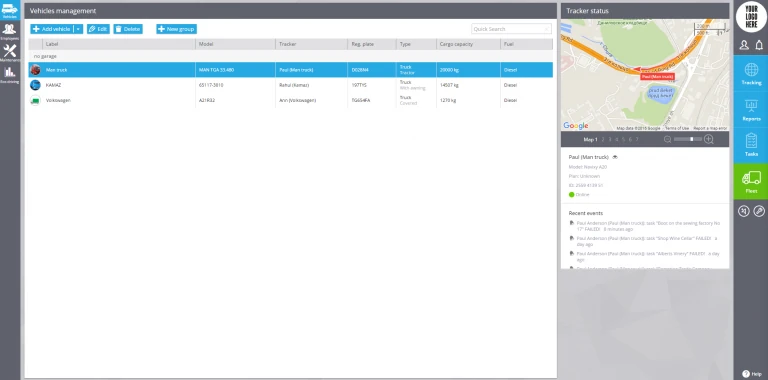
All the information about vehicles of your organization is in the app "Vehicles".
It makes your work easier and much more convenient. For example, you enter data on fuel consumption per 100 km (or miles), and monitoring system will calculate fuel consumption based on this indicator to compare it with the actual readings.
How to change settings
To use this functionality, click on the button "Fleet" and choose "Vehicles". Here you can add and edit vehicle, bind it to a garage, and bind it with a tracking device activated on the platform.
Garage profile
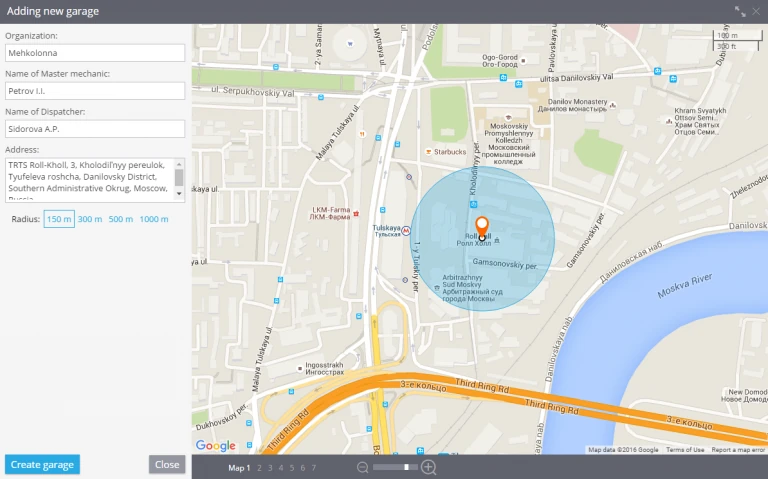
In case a company has several garages or departments (divisions), you need to create corresponding profiles for each garage and bind vehicles to them. In the garage profile you can specify its name, address, chief engineer and dispatcher's names. This data can be used for a more convenient and efficient task management.
Vehicle profile
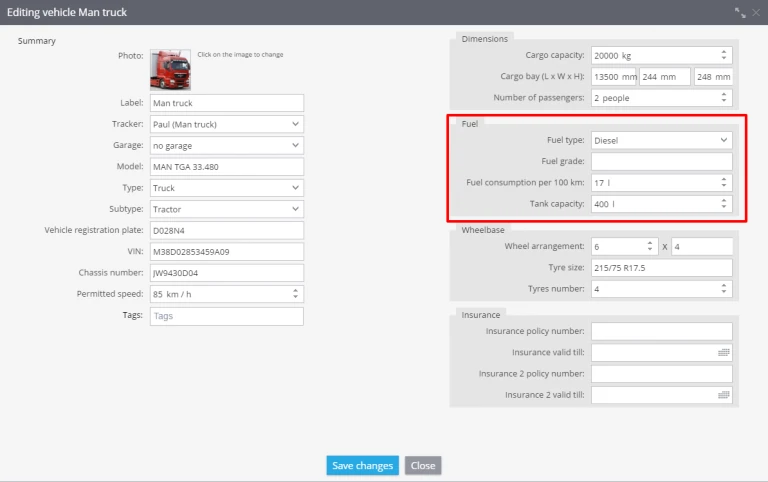
Vehicle profile includes general information, technical specs, and registration details of the vehicle:
- Label
- Photo
- Model
- Identification numbers: vehicle registration plate, VIN, classic number, etc.
- Type of vehicle
- Cargo capacity and cargo bay
- Fuel information: type, grade, consumption per 100 km
- Wheelbase
- Insurance information
- Garage