

Aggregation sensor
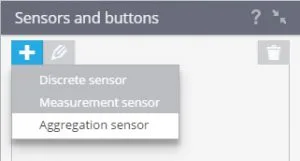
To add a discrete sensor click + and in the pop-up menu select "Aggregation sensor " :
Specify the necessary parameters of the sensor:
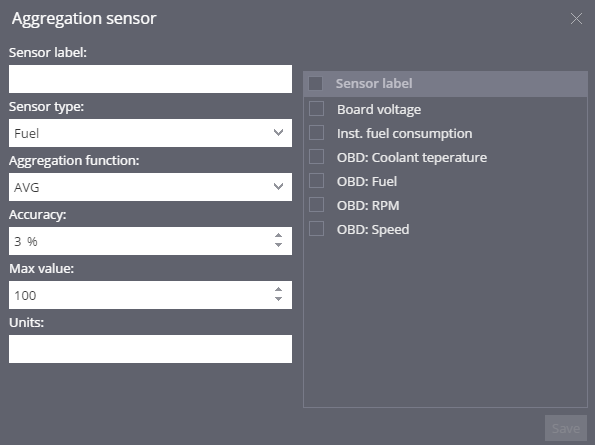
- Sensor label - specify the name of the sensor in the system. You can choose any name you want
- Sensor type - choose the type of the sensor
- Aggregation function - choose the aggregation function AVG(Average) or SUM (sum)
- Accuracy - specify the possible error in sensor readings. This parameter specifies the percentage of the maximum result in the calibration table. If changes in the readings will be lower or equal to the indicated percentage, the data will not be recorded by the system. For example, when the "Accuracy" is set to 5% for the fuel level sensor with maximum results in table - 100 liters, changes in the level of 5 liters or less, will not be considered as a drain or refill.
- Max value - The value obtained after calculating the aggregate functions can not exceed this figure. default value is 100
- Units - specify the unit of measurement readings (eg liter)
Then select the sensors which values will be used.
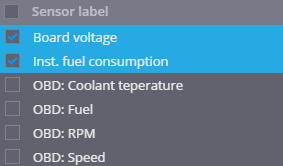
To confirm your changes, click Save.