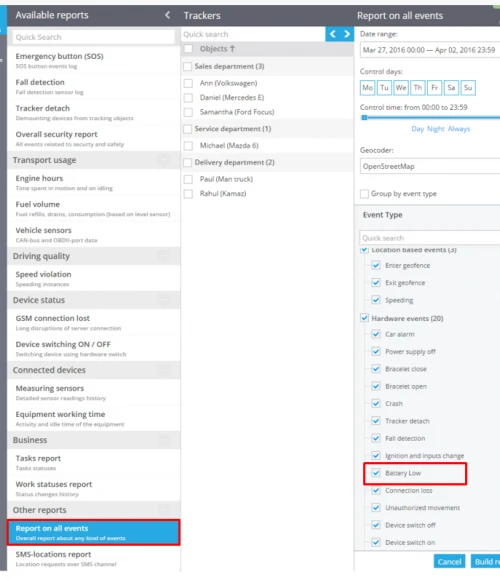
Low battery
Majority of GPS-trackers have internal battery and can work autonomously from 10 to 20 hours. Working time depends on accumulator capacity and operating conditions. Not to forget to charge your battery you can set the rule "Low battery". When you have less than 30% of charge, you will get automatic notification about the necessity to charge your battery by SMS, email, Push-notification or automatic phone call.
How to create the rule
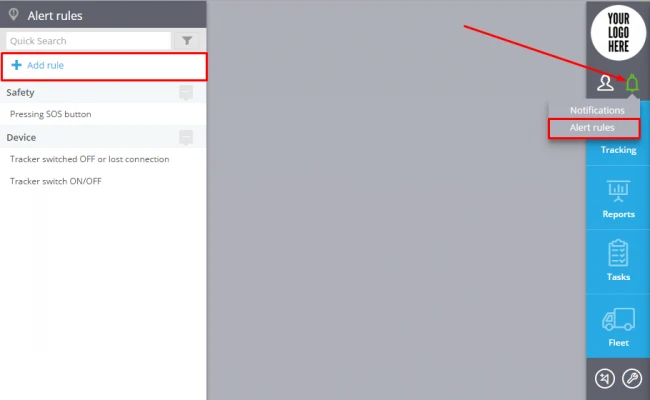
To add a new rule click "Alert Rules"( in the top right corner)->Add rule (in the top left corner).
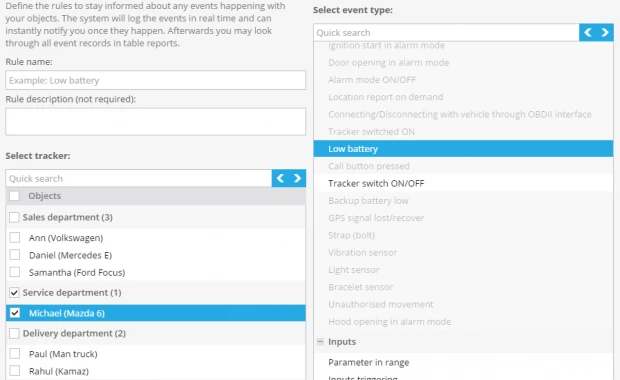
In the window enter the rule name, rule description, select tracker and event type "Low battery".
Click "Next"
Rule options
After creating a new rule you should set up the following parameters:
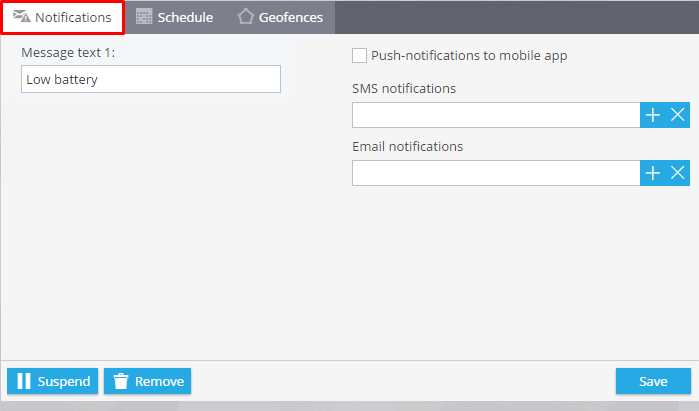
1. Notifications
Here you should type text of the messages you want to get and choose notification type.
2. Schedule
In this block you are to set days and time when you want to control your objects.
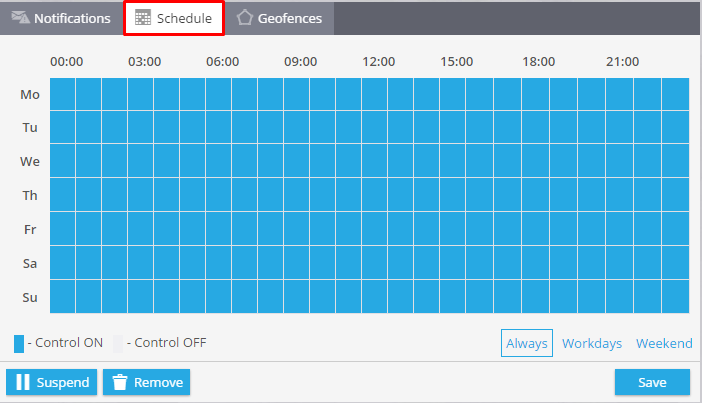
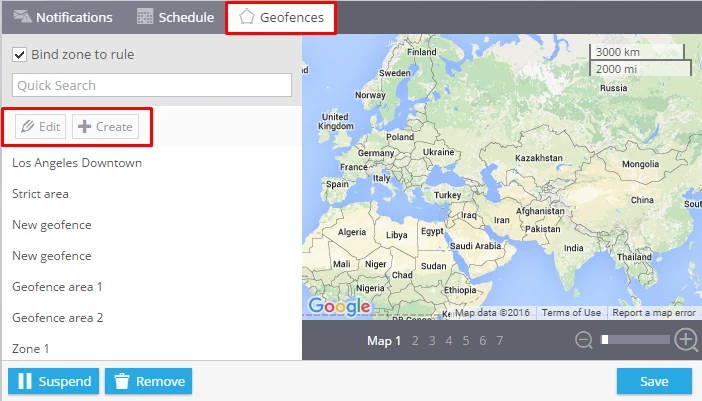
3. Geofences
Choose a geofence where you want to control your trackers. You can select it from the list and edit it or create a new one.
How to get the list of events
There are 2 ways of getting the list of events for one tracker or a group of objects.
1. In the app "Monitoring"-> Events history.
2. Using the generated reports "Low battery".