

Driver Identification
Driver Identification will be extremely useful for companies and enterprises where several drivers share the same vehicle. This function will make you aware of who is driving the vehicle at any given moment.
How to Use
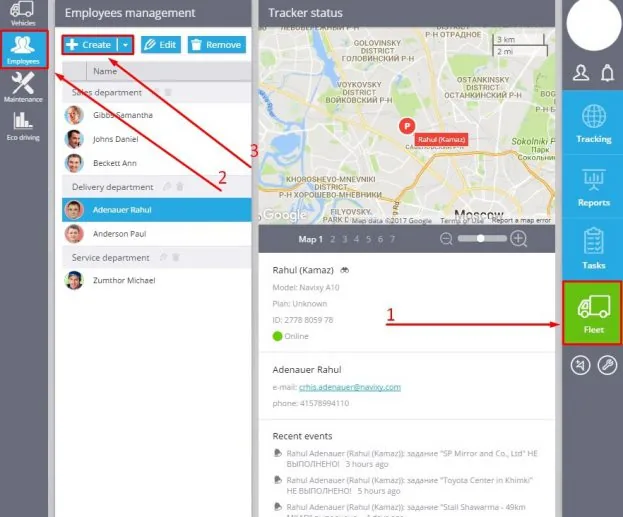
To start using this functionality, first of all you have to create a driver profile:
1. Proceed to the Fleet application.
2. Choose Employees tab.
3. Click on "Create".
In the new window, please specify the following information:
- Photo
- Name
- Choose the tracker
- Choose the department
- Contact information (phone number and email)
- Hardware key (if available)
- Tags
- Driver license details
- Location
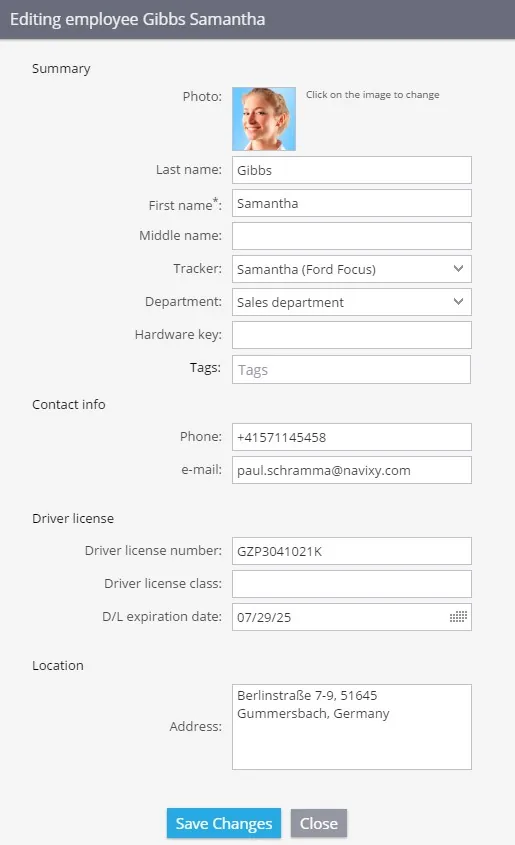
After you filled in all the info, please click on "Create" button.
If you have more questions please contact our support team
In this section