

Route to the point
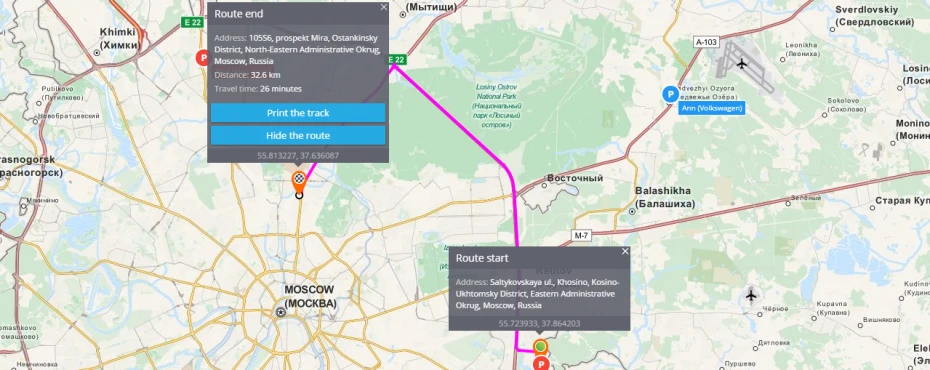
The platform can easily create a route between two addresses or points on the map. It is possible within the same city as well as between different places.
To create a route you are to point its start and its end. The system will create a route automatically. In case you need to make the route more exact, you should point one or several intermediate places drugging the middle of a route.
"Route to this point" function
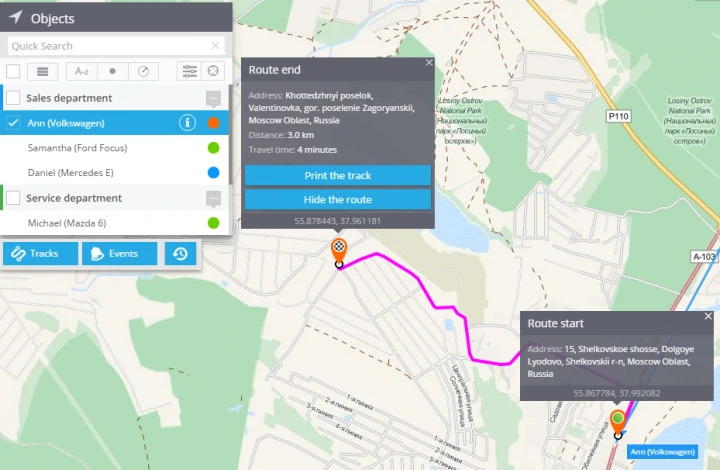
You have a possibility to create a route to the chosen object. The route will be built to a particular place showing distance and average time. This function helps to indicate arrival time to the address. It is very helpful in case you need to estimate time from current destination to any desired place, for example if you are waiting for internet shop's order or food delivery, you will be able to see its arrival time.
This function is available in the "Monitoring" app. To create a route you should click on a needed place on the map and press "Route to this point"
To create a route you are to:
1. Choose a tracker
2. Click the right mouse button on the needed place
3. Press "Route to this point"
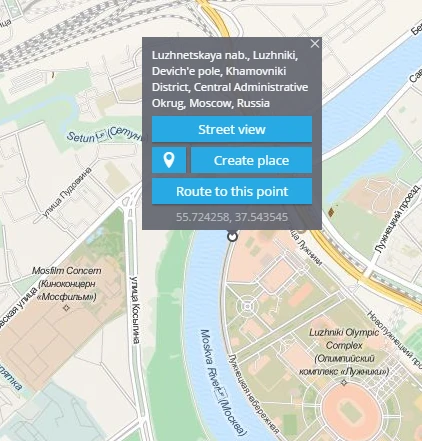
You will see the following picture:
Geocoder settings
"Route to this point" function is based on geo - data from different geocoders. The geocoder can be set up in your account settings. The default geocoder is " OSM "