

Technovision GPS tracking system

Directions

Web interface / Monitoring / Map Tools / Directions

Directions

You can use directions to find the shortest route between two or more locations. The same tool can also be used in the Route deviation rule to control a vehicle keeps going the predefined way without deviating from it.

Using directions tool

1. Select Directions tool from the map toolbar, located in the bottom of the map.

2. Set the start and the end points of the route. Use "Address search" tool for convenience.
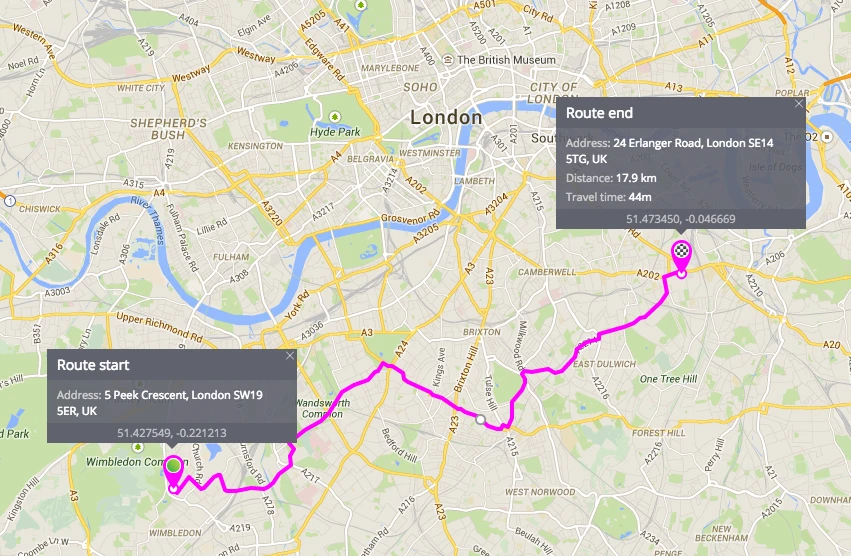
3. If you need, you can also add more points in the middle - by mouse click and drag:
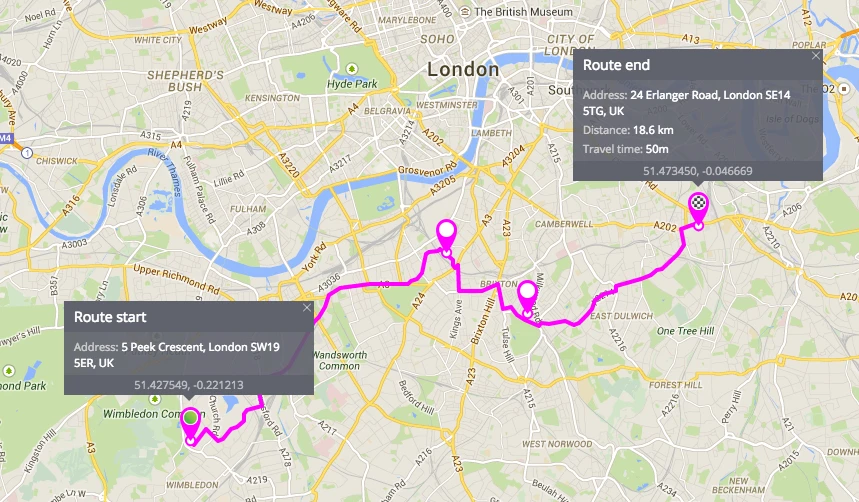
4. To edit the locations simply drag it. Double click to delete the location.

If you have more questions please contact our support team

Ready for the most innovative GPS tracking software?

Explore our products using demo access, or talk to our live sales team. A full-featured 30-day trial is available within minutes.

Live demo  Talk to sales

Contact Us

If you're considering GPS tracking platform, or just want more information, we're happy to answer all your questions and get you set up. Simply send us an email or for immediate assistance, call us.

Tel
+961.1.694036/7
Tel / Fax
+961.1.692149
Mob
+961.76.454343
Email
sales@technovisionlb.com
Office
Sed El-Bauchrieh, Beirut, Lebanon