

Devices
Devices app allows to configure devices remotely, setup device sensors, and apply other settings related to particular devices (assets).
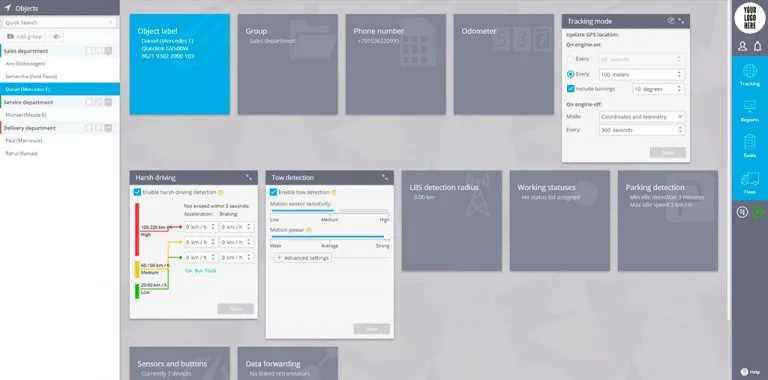
How to change settings
For each group of settings there is a special portlet. If some features are not supported by the devices (i.e. Harsh driving, Car crash detection, etc.) then appropriate portlet will not be visible.
- Object name. The label for the device.
- Group. Select the group which device belongs to.
- Trusted numbers. The user's phone number list from which are only allowed to send SMS control commands and request to service number.
- Phone number. The phone number of the SIM card installed into device.
- Tracking mode. Time/distance/cornering, etc. settings for tracking mode.
- Parking detection. Parameters which define the conditions when parking state should be detected after movement ends.
- Harsh driving. Set the parameters for built-in accelerometer to detect harsh behaviour: harsh acceleration, harsh braking, harsh cornering, etc.
- Tow detection. Devices which support tow detection can be configured remotely for more sensitive detection and vice versa - to prevent false alarms.
- Sensors and buttons. Map device inputs with connected sensors, define sensor types (choose reading meanings) and apply calibration data for fuel level sensors, etc.
- Data forwarding. Forward all data which comes from the GPS tracking device to other servers in preferable data format / protocol.
- and others, depending on the device model.
Group actions
You can use group actions - apply same settings to other devices. In the top right corner of the selected portlet click on Copy icon and mark the devices you want these settings to be applied too. If some devices are not visible in the drop-down list, it means those devices have different model and exactly same settings can not be applied to them.